
Make a Picture From Words: An AI Image Maker for Cards, Wishes and Flipbooks
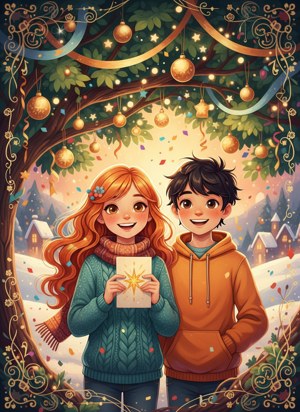
Sometimes the photo you need does not exist. A kite over a Diwali sky, a cartoon bear in a Santa hat, a cosy window on a rainy night. Make a picture in ShareGreet turns a few words into a picture, in the style you choose.
How it works
- Open the Create tab and choose Make a picture, or describe your idea to the guide.
- Type what you want to see, in your own language.
- Pick a style. Each style is shown as a small picture of how it draws, so you do not have to guess from a name.
- Tap Make. One credit makes one picture. Tap Another version if you want a different result for one more credit.
- Tap a picture to see it full screen. Press Use this to put it on a card, or save it.
Styles shown as pictures
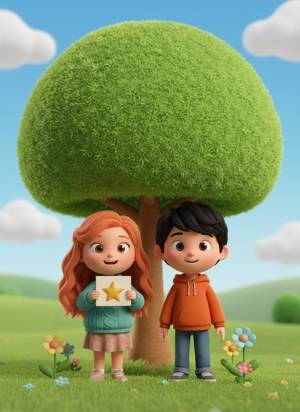
The first two are Festive (warm, golden, ready for a card) and Cartoon 3D (round, friendly, good for children). The sketch looks from story sketches are there too.
Your pictures are saved
Every picture you keep goes to My pictures, so you can come back to it, open it full screen, use it on a card or delete it.
Cost and limits
- One credit makes one picture. Another version uses one more credit. Free photo-story tries do not apply to this tool.
- If no picture could be made, the credit comes back.
- It will not draw real or famous people. Use your own photo on a card for that.
Want a card around the picture? Read how to make a free greeting card with your photos.
Frequently asked questions
What is Make a picture?
A tool in ShareGreet that turns a few words into a picture, in a style you choose.
How many pictures do I get?
One picture for each try, for one credit.
Can I use the picture on a card?
Yes. Open the picture full screen and press Use this to start a card with it.
Where are my pictures kept?
In My pictures. You can open, use or delete them there.
Can it draw a real person?
No. It does not draw real or famous people. Put your own photo on a card instead.
Does it work in my language?
Yes. You can describe the picture in your own language.