
A Free Greeting Card Maker: Your Words, Your Photos, No AI
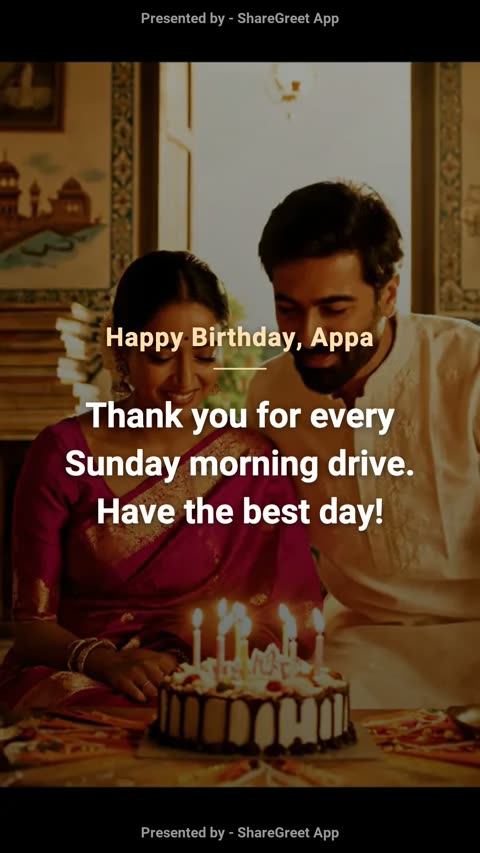
Not every greeting needs artificial intelligence. Sometimes you already know exactly what you want to say, and you have the photo to go with it. ShareGreet's free card maker is for those moments: you write the words, you pick the photo, and the app turns them into a short, shareable card. It does not use AI and it does not spend any credits.
What a ShareGreet card is
A card shows your message over your photo or a theme, with a gentle animation and optional sound. It opens by link, so the person you send it to does not need to install anything. You can also download it, print a version of it, or schedule it to open at a set time. A voice recording can make it longer than a simple text-only card.
How to make one
- Use the button above to open a ready birthday message in Make a card, or find it under See all tools. Change the words before creating.
- Pick a theme or a look. Sunrise, Diya, Garden, Ocean, Midnight and Blossom are among the choices.
- Add an optional title (up to 60 characters) and your message (up to 280 characters).
- Add your photos if you like and check the preview. Layout choices let you frame a photo or keep the classic arrangement.
- Choose built-in music or no music. You can record your own voice for free; sign in when asked to use recording features.
- Check your words and tap Create card. Optional AI voice or made-to-order music is separate from the free card and shows its credit price first.
Your card is made in the background and appears in your profile. If notifications are enabled, you can get an alert when it is ready. A first plain card may be available as a guest; sign in when asked for further cards or account-only features. In the sharing options, Add a date can save the next birthday or anniversary without making you enable notifications.
Which languages and scripts work
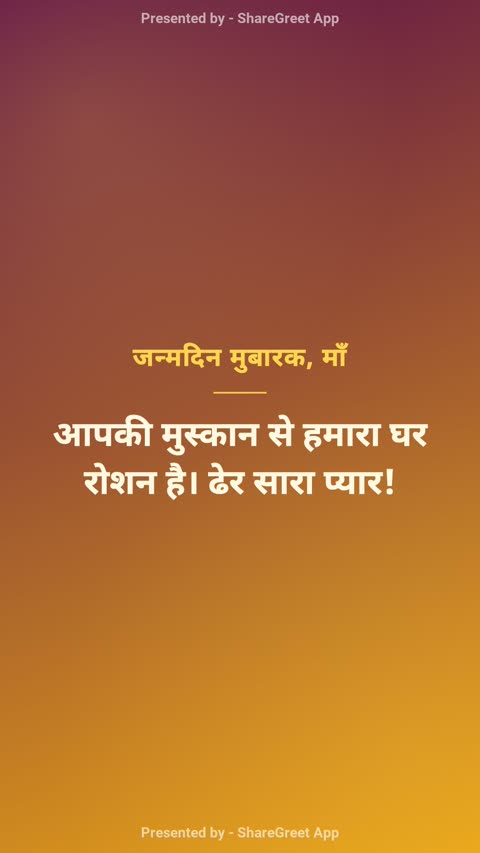
The card renderer includes fonts for Indic and Latin-script languages, Arabic and Urdu, Odia, Thai and Hebrew. English, Spanish and Portuguese wording works too. Check names and line breaks in the preview and in the finished card before sending; not every script or font combination has been verified. This is not a promise of complete Chinese-script coverage.
Writing a message that lands
- Use their name or what you call them. “Appa” reads warmer than “Dear father.”
- Include one real detail. The Sunday drive, the burnt first batch of laddoos, the song they hum.
- Keep it short. A card is read in seconds, so one or two sentences is plenty.
For more on phrasing, see how to write a heartfelt message.
After you make it
Send the link on WhatsApp or anywhere else, or download the video. You can also print it as a 5×7 card with a QR code, or schedule it to open at midnight. If you want something with more pages, try a flipbook, and if you want the app to write and narrate a whole story, see how cards compare with flipbooks and AI stories.
Frequently asked questions
Is the card maker really free?
Yes. Cards use no AI, so they do not spend credits. There is a daily limit on free cards and flipbooks (15 a day) to keep the service fair.
Do I need an account to make a card?
A first plain card may be available as a guest. Sign in when asked for more cards or account-only features such as recording a voice. The recipient only needs the link.
Can I add my own music or voice?
You can record your own voice for free and choose built-in music or no music. Optional AI voice and made-to-order music are separate extras with their own credit prices.